
How to make mobile payments safer and smoother in everyday life

Paying with a handheld device at the supermarket, on public transport or inside an app has quickly become routine. It feels fast and convenient, but many people still worry about security, hidden fees and what happens if a gadget is lost.
With a few careful settings and small habits, you can keep mobile payments both simple and safer, without turning every purchase into a technical chore.
What “mobile payments” actually include
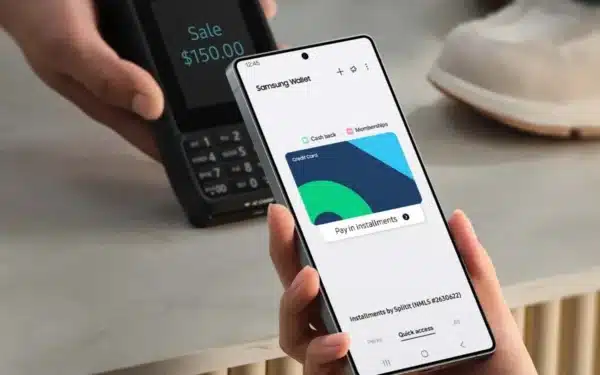
Mobile payments cover several slightly different things. The most common are contactless payments in stores using a digital wallet, in-app purchases for subscriptions or one-off items, and web checkouts that let you approve the transaction with your handheld device.
All of these rely on the same core ideas: your card or account details are stored securely, the merchant receives a special code instead of the full number, and you approve each payment with a PIN, fingerprint or face scan.
Security basics: why mobile payments are often safer than plastic
Modern payment systems usually use tokenization. This means the shop or app gets a one-time code linked to your real card, not the number printed on your plastic. If that code is stolen, it is much harder to misuse.
On top of this, your handheld device can require biometric checks for every purchase above a low limit. A thief would need your unlocked device and your face, fingerprint or PIN to complete a transaction.
Essential settings to check before your first payment
Before you start tapping at terminals, review a few key settings. First, make sure your lock screen is active and uses a strong method: a longer PIN, fingerprint or face unlock. Avoid simple patterns that are easy to watch and copy.
Next, open your digital wallet or banking app and check that transaction alerts are turned on. Instant notifications for each purchase help you catch suspicious activity within minutes instead of days.
Set sensible limits and alerts
Many banks and wallet apps allow you to set daily or per-transaction limits for contactless and online payments. Choosing realistic numbers can stop a single stolen payment method from being drained in a few minutes.
Also look for options to receive alerts for foreign currency purchases or online transactions. These are common targets for fraud and are often easier to spot if you do not travel or shop abroad frequently.
Safer habits at shops, cafes and public places
When paying in person, keep the device in your hand and unlock it only when you are near the terminal. Avoid leaving it on counters while you sort cards or bags, especially in busy areas where quick thefts are common.
If a cashier says the contactless terminal is broken and asks to input your card details manually on a separate device, consider using a different payment method or asking for an official terminal instead. Unusual setups are worth treating with caution.
Reducing risks in apps and on websites

In apps and on websites, it is tempting to save your card everywhere for faster checkouts. Try to limit this to trusted services you use often, such as regular grocery deliveries or streaming platforms, and remove details from stores you no longer visit.
Whenever possible, pay through a known wallet or your bank’s own system instead of entering card numbers into many different sites. This reduces how many places store your details and can simplify dispute handling later.
Managing subscriptions and small recurring charges
One of the easiest ways to lose track of spending is through small, recurring payments: trial subscriptions that converted to paid plans, in-app features you forgot about, or old memberships. Set a reminder once every few months to review active subscriptions.
Most app stores and banks provide a list of recurring charges. Cancel anything you no longer use and consider consolidating services, for example keeping only one music or cloud storage provider instead of several overlapping ones.
What to do if your device is lost or stolen
If your device goes missing, speed matters. Use any available “find my device” service to lock the device remotely, sign out of accounts and, if necessary, erase it completely. This limits access to your payment methods and personal data.
Next, contact your bank or card issuer, explain the situation and ask them to temporarily block or monitor mobile wallet payments. They can usually disable the digital version of your card while leaving the physical one active, or reissue new details if needed.
Balancing convenience and privacy
Mobile payments create records: where you shopped, when and sometimes what you bought. Loyalty programs and apps may combine this information for marketing. If you prefer more privacy, opt out of data sharing inside retailer and wallet apps where possible.
You can also choose when to pay digitally and when to use cash or a traditional card. The goal is not to avoid technology altogether, but to use it where it clearly adds comfort and control, and switch when it does not.
Making mobile payments work for you
With a secure lock screen, clear limits, regular subscription checks and quick action when something feels wrong, mobile payments can be both efficient and relatively safe. Most settings take only a few minutes to adjust but pay off every time you tap to pay.
Treat your handheld device as the key to your finances, not just another gadget, and it will serve as a powerful, convenient wallet that fits your everyday life.




0 comments